
Description
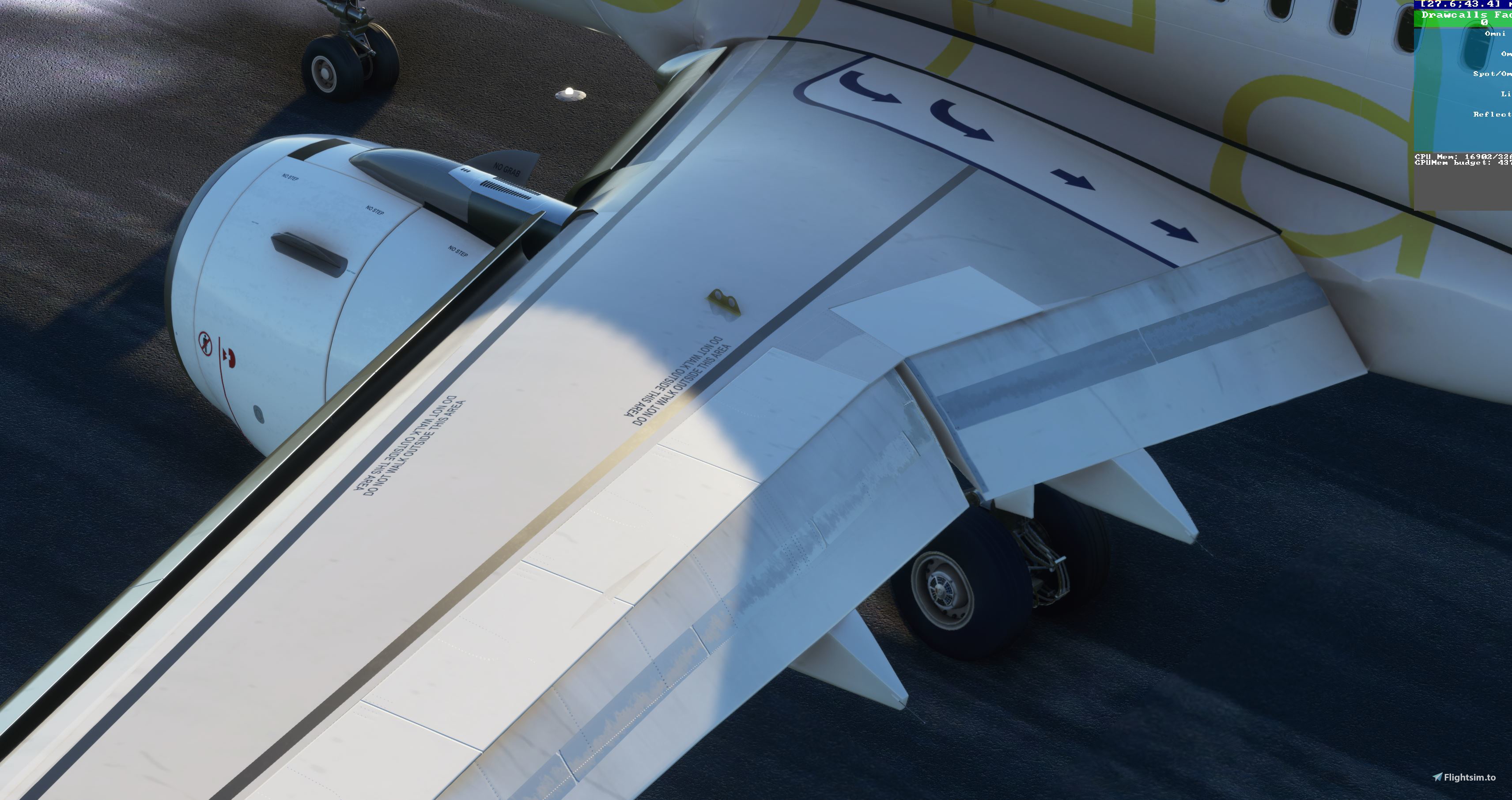
this is png files for you to overlay your livery if you want a old /dirty effect on your 320. (SOFT LOOK)
DIRT AROUND WINDOWS, DOORS, JETWAY CONNECTION, CARGO DOORS, ENGINES,SOME SPLASHES UNDERNEATH FUSELAGE TO MIMICK BURNT RUBBER
best used if your a livery creator.
SCALE LAYER TO YOUR SIZE PUT THIS ONE AS TOP LAYER ,MULTIPLY LAYER AND DONT FORGET TO MERGE ALL LAYERS
fuselage 8k
engine 8k
wings 4k ( full file , best if you just add your rudder and winglets) THIS FILE CAME FROM MY AZORES AIRLINES DREAM.
dirt overlay for 320 liveries
Add a touch of realism to your A320 liveries with these dirt overlay PNG files. Perfect for livery creators looking to achieve an old/dirty effect on their aircraft. Includes detailing around windows, doors, jetway connection, and more. Scale layers to size and remember to merge for the best results.


User Reviews
7 reviews
Version History
No version history available.
Related

[A32NX] (new8k) and16 k TAP CS-TVG AIR PORTUGAL
Enhance your Microsoft Flight Simulator experience with the A32NX add-on featuring updated 8k and 16k versions of the TAP CS-TVG Air Portugal livery. Choose between the two options for high-quality visuals and enjoy additional features like selcal code and FBW cup. Improved details include fixed color differences and decals for a more realistic aircraft appearance.
by slipnoidz

AZORES (PORTUGAL) IMPROVEMENTS -fix for ts LPLA and mk studios LPPD ( old file still available)
Enhance your default scenery of the Azores (Portugal) with this comprehensive improvement add-on. Experience terrain fixes, added points of interest, and enhanced visuals across all 9 islands. From updated docks to more detailed cities, this mod offers a more immersive flying experience in this stunning archipelago.
by slipnoidz
 and 16k TAP CS-TVI](https://cdn.flightsim.to/images/13/O5xv7KZD.jpg?width=500)
[A32NX](new 8k) and 16k TAP CS-TVI
Experience the A32NX with enhanced 8k and 16k TAP CS-TVI liveries. Update includes improved engine visuals and color accuracy, aligning closely with the real TAP aircraft. Choose between the two high-quality options when downloading to customize your flight experience.
by slipnoidz

FINAL 1.1 version LPPD "low budget" (placeholder untill mk studios release their version)
A community-made "low budget" version of LPPD airport serving as a placeholder until the official release by MK Studios. Features custom-made elements like the main building roof, improved surroundings, 3D fence, Solmar building enhancements, and more. Continuously updated with improvements like runway threshold adjustments, city additions, and terrain enhancements. This add-on offers a unique take on the airport while awaiting the official release.
by slipnoidz
Log in to join the discussion
Log InComments49
For anyone who has trouble understanding the instructions, what the OP means is:
Once you add his PNG file as another layer in your file, change the BLEND MODE of that new layer to "Multiply" (next to opacity in the right pane). That removes the white. Then merge your layers and save as DDS, etc.
I'm not a graphic designer by trade and am self-taught in the world of Photoshop and it took me a solid 20 minutes to figure out what he meant by "Multiply Layer".
Happy Livery Creating!
EDIT: I also had to play with the levels/curves on the wings because the file provided for the wings is VERY grey. So, if you have a white based livery, you'll need to adjust this.
that doesnt make any sense, would it be possible to create a more detailed one, and i know thatll be hard
hello, is it possible you can provide the same 8k file for the wings without the base? thanks! 🚀
Thanks man!
mmmm virus found in download .....
thats strange cuz you cant upload a file with a virus in this website